About
AVR Programmer
| |
This
simple AVR Programmer will allow you to painlessly
transfer hex programs to most ATMEL AVR microcontrollers
without sacrificing your budget and time. It is
more reliable than most other simple AVR programmers
available out there and can be built in very short
amount of time.
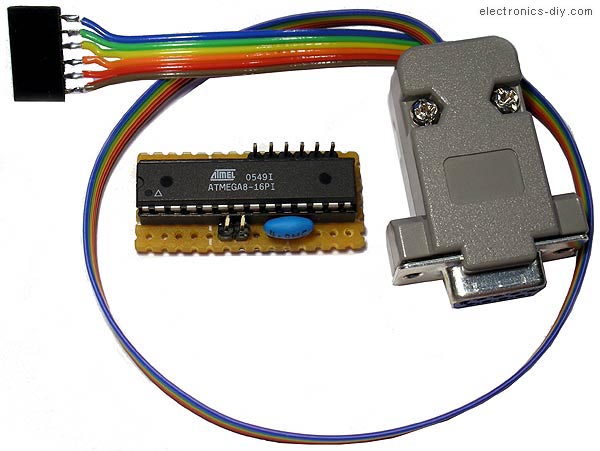
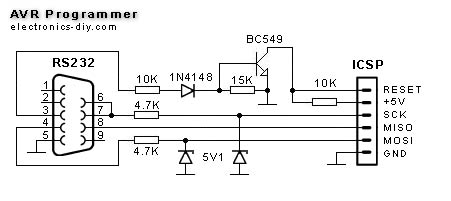
AVR programmer consists of
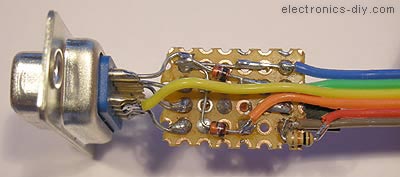
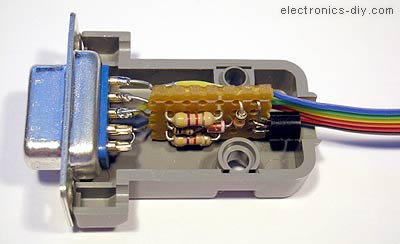
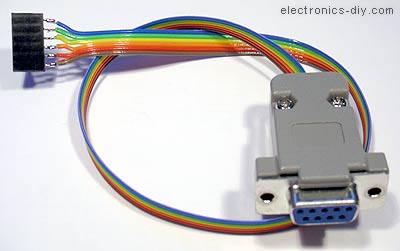
in-circuit serial programmer (dongle) and small
pcb with a DIP socket where you can fit your microcontroller
and have it quickly programmed.
You may also use this programmer
as a stand alone in-circuit serial programmer that
can be used to conveniently program AVR microcontrollers
without removing them from the target circuit.
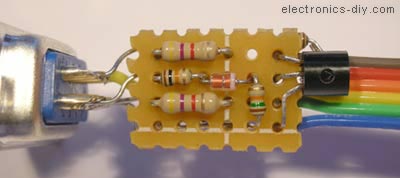
Entire AVR programmer has been
build with using common parts and fits in the case
of the serial connector. The socket pcb has been
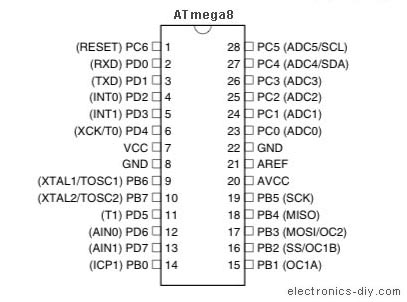
created to fit a 28-DIP AVR ATmega8 microcontroller,
but you can build a socket pcb for any other AVR
microcontroller out there. This AVR programmer is
compatible with a popular PonyProg software that
shows you a status bar of the programming progress.
|
AVR
In-Circuit Serial Programmer
AVR
Socket PCB
| |
Socket PCB has
very minimal number of components and is used for
programming your desired AVR microcontroller outside
of your target circuit.
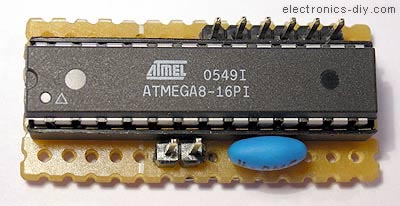
Socket PCB with 28-DIP AVR ATmega8 microcontroller.
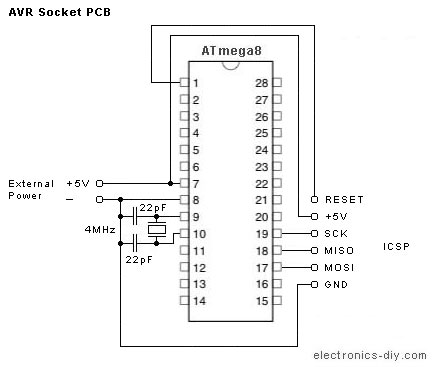
There are two connections; ICSP that connects to
AVR Programmer, and external +5V supply.
Socket PCB consists of
the PCB, 28-DIP socket, 4MHz crystal resonator,
or crystal with two 22pF decoupling capacitors,
and two header connectors. Two-PIN connector supplies
+5V voltage to the AVR microcontroller, and 6-PIN
ICSP connects to AVR Programmer dongle.
Supplying microcontroller with external +5V voltage
as opposed to taking it directly from computer's
serial connection port ensures that the chip is
receiving exactly +5V voltage and provides very
reliable error free programming.
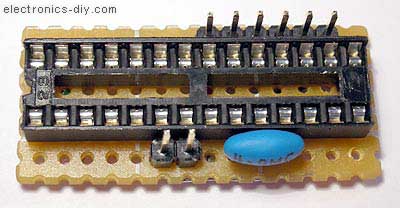
Socket PCB for 28-DIP AVR ATmega8 microcontroller.
+5V voltage
supply for AVR chip may be provided from external
power supply or even better - directly from USB
connection.
|
PonyProg
| |
To be able to
send hex file from your computer to AVR microcontroller
you will need to download and install PonyProg2000.
After the installation, the first thing you will
need to do is configure PonyProg to work with our
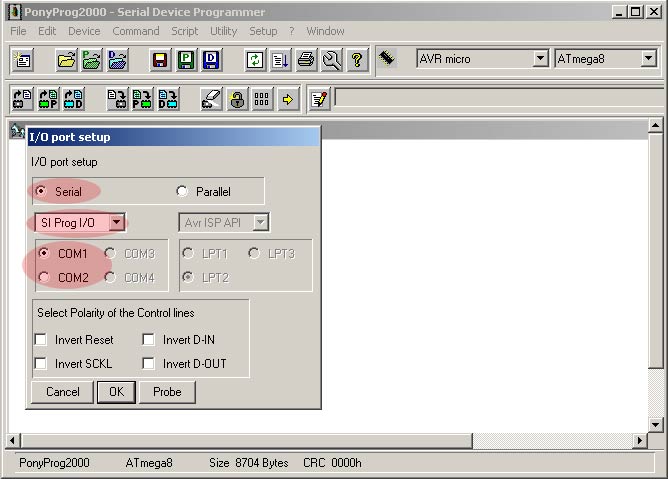
AVR Programmer. To do this go to "Setup"
menu and select "Interface Setup". The
following window will be shown and highlighted areas
show you exactly which options should be selected.
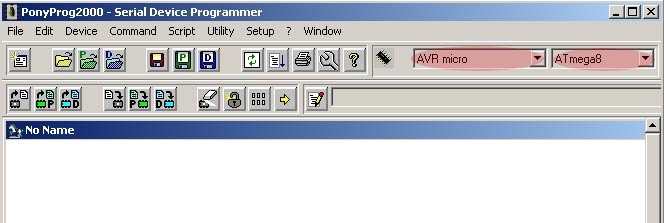
In the next step select "AVR micro" and
your microcontroller type that you will be programming
(ex. ATmega8).
At this point PonyProg configuration is complete
and we can open hex program with which AVR microcontroller
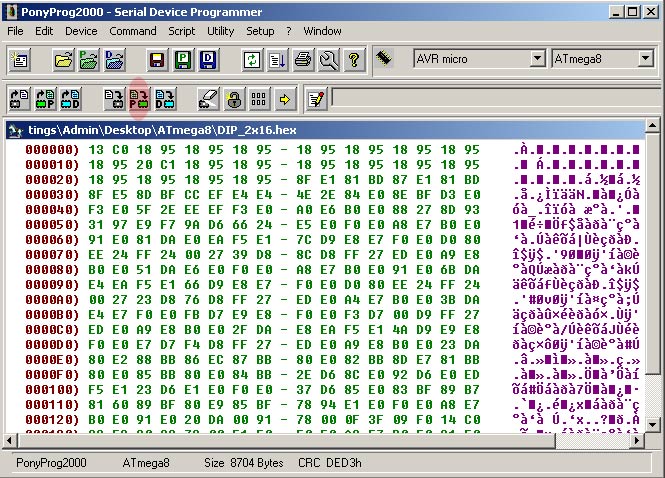
will be flashed. Go to "File" menu, select
"Open Program (FLASH) File ...", and point
to the hex file to open it up. You should see hex
numbers as shown on the screen below. If you haven't
connected AVR Programmer dongle to your computer's
serial port yet, then now is the time. Make sure
that AVR Programmer is physically connected to your
AVR microcontroller through Socket PCB or through
ICSP 6-PIN connector. Finally click on the highlighted
icon "Write Program Memory (FLASH)", or
go to "Command" menu and select "Write
Program (FLASH)".
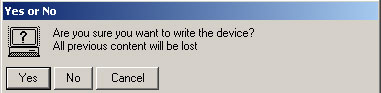
Click on "Yes" button to confirm the programming.
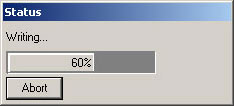
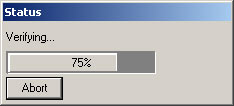
Now sit tight,
relax and watch the programming progress on the
status bar. PonyProg will program AVR microcontroller
and verify if the hex file was transferred without
any errors. For your information this process shouldn't
really take more than 10 to 30 seconds. This depends
on the size of the program that you're trying to
flash.
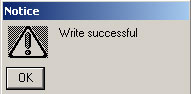
After programming is completed "Write successful"
window will be shown letting you know that AVR microcontroller
has been programmed, and is now ready to be used.
|
Related Links
|
|
|
| |
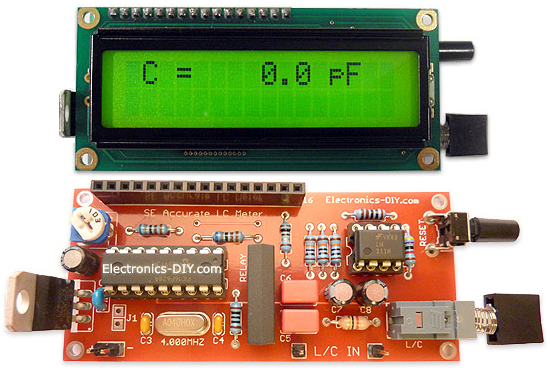
Accurate LC Meter
Build your own Accurate LC Meter (Capacitance Inductance Meter) and start making your own coils and inductors. This LC Meter allows to measure incredibly small inductances making it perfect tool for making all types of RF coils and inductors. LC Meter can measure inductances starting from 10nH - 1000nH, 1uH - 1000uH, 1mH - 100mH and capacitances from 0.1pF up to 900nF. The circuit includes an auto ranging as well as reset switch and produces very accurate and stable readings. |
|
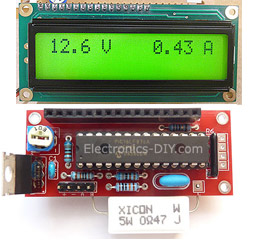
PIC Volt Ampere Meter
Volt Ampere Meter measures voltage of 0-70V or 0-500V with 100mV resolution and current consumption 0-10A or more with 10mA resolution. The meter is a perfect addition to any power supply, battery chargers and other electronic projects where voltage and current must be monitored. The meter uses PIC16F876A microcontroller with 16x2 backlighted LCD. |
|
|
|
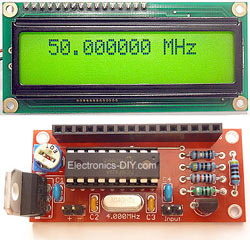
60MHz Frequency Meter / Counter
Frequency Meter / Counter measures frequency from 10Hz to 60MHz with 10Hz resolution. It is a very useful bench test equipment for testing and finding out the frequency of various devices with unknown frequency such as oscillators, radio receivers, transmitters, function generators, crystals, etc. |
|
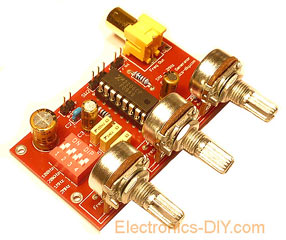
1Hz - 2MHz XR2206 Function Generator
1Hz - 2MHz XR2206 Function Generator produces high quality sine, square and triangle waveforms of high-stability and accuracy. The output waveforms can be both amplitude and frequency modulated. Output of 1Hz - 2MHz XR2206 Function Generator can be connected directly to 60MHz Counter for setting precise frequency output. |
|
|
|
BA1404 HI-FI Stereo FM Transmitter
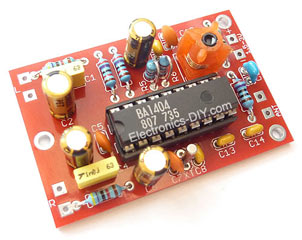
Be "On Air" with your own radio station! BA1404 HI-FI Stereo FM Transmitter broadcasts high quality stereo signal in 88MHz - 108MHz FM band. It can be connected to any type of stereo audio source such as iPod, Computer, Laptop, CD Player, Walkman, Television, Satellite Receiver, Tape Deck or other stereo system to transmit stereo sound with excellent clarity throughout your home, office, yard or camp ground. |
|
USB IO Board
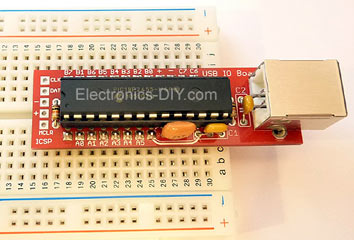
USB IO Board is a tiny spectacular little development board / parallel port replacement featuring PIC18F2455/PIC18F2550 microcontroller. USB IO Board is compatible with Windows / Mac OSX / Linux computers. When attached to Windows IO board will show up as RS232 COM port. You can control 16 individual microcontroller I/O pins by sending simple serial commands. USB IO Board is self-powered by USB port and can provide up to 500mA for electronic projects. USB IO Board is breadboard compatible. |
|
|
|
|
ESR Meter / Capacitance / Inductance / Transistor Tester Kit
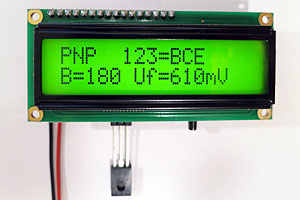
ESR Meter kit is an amazing multimeter that measures ESR values, capacitance (100pF - 20,000uF), inductance, resistance (0.1 Ohm - 20 MOhm), tests many different types of transistors such as NPN, PNP, FETs, MOSFETs, Thyristors, SCRs, Triacs and many types of diodes. It also analyzes transistor's characteristics such as voltage and gain. It is an irreplaceable tool for troubleshooting and repairing electronic equipment by determining performance and health of electrolytic capacitors. Unlike other ESR Meters that only measure ESR value this one measures capacitor's ESR value as well as its capacitance all at the same time. |
|
Audiophile Headphone Amplifier Kit
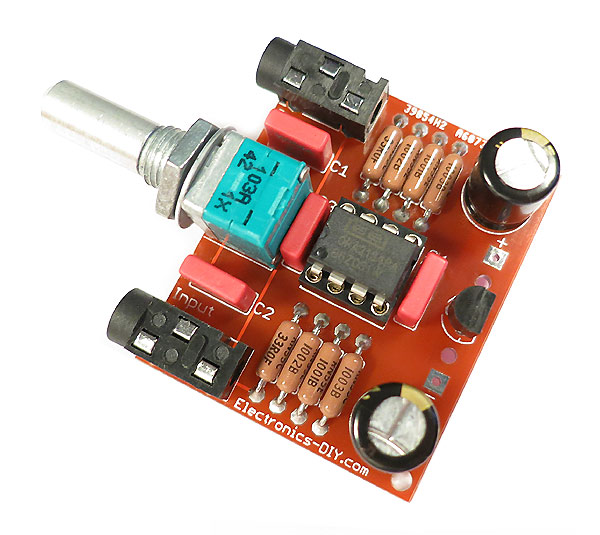
Audiophile headphone amplifier kit includes high quality audio grade components such as Burr Brown OPA2134 opamp, ALPS volume control potentiometer, Ti TLE2426 rail splitter, Ultra-Low ESR 220uF/25V Panasonic FM filtering capacitors, High quality WIMA input and decoupling capacitors and Vishay Dale resistors. 8-DIP machined IC socket allows to swap OPA2134 with many other dual opamp chips such as OPA2132, OPA2227, OPA2228, dual OPA132, OPA627, etc. Headphone amplifier is small enough to fit in Altoids tin box, and thanks to low power consumption may be supplied from a single 9V battery. |
|
|
|
|
|
Arduino Prototype Kit
Arduino Prototype is a spectacular development board fully compatible with Arduino Pro. It's breadboard compatible so it can be plugged into a breadboard for quick prototyping, and it has VCC & GND power pins available on both sides of PCB. It's small, power efficient, yet customizable through onboard 2 x 7 perfboard that can be used for connecting various sensors and connectors. Arduino Prototype uses all standard through-hole components for easy construction, two of which are hidden underneath IC socket. Board features 28-PIN DIP IC socket, user replaceable ATmega328 microcontroller flashed with Arduino bootloader, 16MHz crystal resonator and a reset switch. It has 14 digital input/output pins (0-13) of which 6 can be used as PWM outputs and 6 analog inputs (A0-A5). Arduino sketches are uploaded through any USB-Serial adapter connected to 6-PIN ICSP female header. Board is supplied by 2-5V voltage and may be powered by a battery such as Lithium Ion cell, two AA cells, external power supply or USB power adapter. |
|
200m 4-Channel 433MHz Wireless RF Remote Control
Having the ability to control various appliances inside or outside of your house wirelessly is a huge convenience, and can make your life much easier and fun. RF remote control provides long range of up to 200m / 650ft and can find many uses for controlling different devices, and it works even through the walls. You can control lights, fans, AC system, computer, printer, amplifier, robots, garage door, security systems, motor-driven curtains, motorized window blinds, door locks, sprinklers, motorized projection screens and anything else you can think of. |
|
|
|
|
|


 Accurate LC Meter